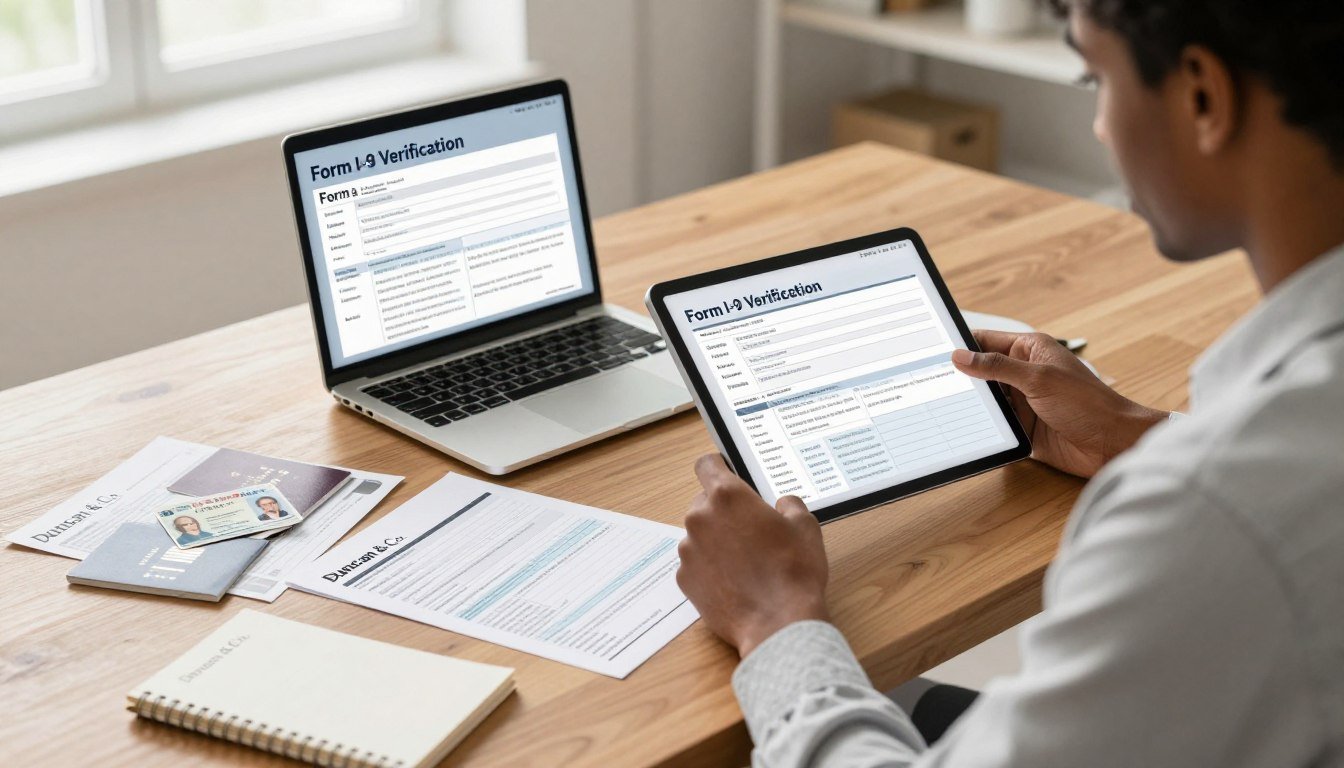
You may feel uneasy when compliance and care meet over a video screen. Many new hires worry about deadlines, clear copies, and whether their papers will be accepted. This guide aims to ease that worry with plain steps and honest explanations.
Purpose: This piece will explain how to complete the USCIS employment eligibility process for remote hiring without missing key dates or document checks. It shows what changes when onboarding happens offsite and what stays the same.
The basic timing rules are simple. The employee must finish Section 1 by the first day of paid work. The employer then has three business days to finish Section 2.
Remote verification may be allowed under certain conditions, often tied to E-Verify and live video review with clear copies and an audit trail. If that option is not available, an authorized representative must examine documents in person.
Document handling matters as much as the form itself. Keep secure copies, a repeatable record, and clear images to reduce risk.
If you need help, call or text 3038270632 or visit our office at 350 Terry St Ste 229, Longmont CO 80501.
Key Takeaways
- Finish Section 1 by the first paid workday and Section 2 within three business days.
- Remote verification is possible under DHS/USCIS alternative procedures for eligible employers.
- Verification means checking acceptable identity and work authorization documents that appear genuine.
- Clear document copies and a secure audit trail lower compliance risk.
- This guide helps HR, small businesses, and new hires understand expectations during onboarding.
- For hands-on assistance, call or text 3038270632 or stop by 350 Terry St Ste 229, Longmont CO 80501.
Remote Form I-9 Verification Today: USCIS and Department of Homeland Security Rules
USCIS guidance and DHS rules define when virtual verification is acceptable and when an in-person check remains required.
What the form verifies: The document checks confirm identity and employment authorization for hires in the United States, regardless of citizenship status. U.S. Citizenship and Immigration Services establishes the lists of acceptable documents and the verification standard.
Role of DHS and ICE: The department homeland security and ICE set inspection expectations and enforce compliance. Historically, that meant an in-person document review in the employee’s presence.
COVID flexibilities began in March 2020 and allowed temporary remote inspections for covered employers. Those flexibilities ended in mid‑2023 with transition dates and follow-up obligations for virtual inspections performed during the pandemic.
- Permanent change: As of 2023, DHS permits an alternative remote procedure for qualified E-Verify users in good standing. That path requires live video interaction plus retention of clear document copies.
- Baseline rule vs. exception: The baseline remains an in-person inspection. The alternative is limited and only for eligible employers.
- Form update: The 08/01/2023 version adds a remote-exam checkbox and moves preparer/translator and rehire entries into supplements.
“Employers must record what happened and on what date, and preserve clear copies and an audit trail.”
If the employer is not eligible for the department homeland remote alternative, an authorized representative must conduct an in-person review. Employers remain responsible for compliance and must keep documentation that shows the inspection date and method.
How to complete an I-9 form for a remote job
Start by confirming the correct edition: use the 08/01/2023 form and pull required supplements (Preparer/Translator and Rehire/Reverification) before the new hire begins. This prevents rework and ensures the right fields appear in your packet.
employee input
The employee must enter personal data and attest by the first day of paid work. Use an electronic I-9 system when possible for e-signatures and date stamps.
Choosing documents
Employees select either one List A item or one List B plus one List C item from the lists of acceptable documents. Require original, unexpired documents for inspection.
Section 2 and remote verification
Employers or a designated reviewer must finish Section 2 within three business days of the hire date (example: Monday start → Thursday deadline).
If eligible, employers use the E-Verify alternative and conduct a live video call (Zoom, Teams, Meet) while the employee shows original documents. Retain clear copies and note the remote checkbox on the 08/01/2023 form or enter “Alternative procedure mm/dd/yyyy” on older editions.
“Record who reviewed documents, when the inspection occurred, and the method used.”
Quality check: confirm names, dates, document titles, issuing authorities, and signatures match across sections before filing.
E-Verify Eligibility and the “Alternative Procedure” for Remote Employees
Qualified users in E-Verify can use a specific remote option that requires strict steps and recordkeeping.
What E-Verify is: E-Verify is an online system that compares form data with DHS and Social Security records to confirm employment authorization. It supports compliant onboarding for remote employees and helps verify identity employment quickly.
What good standing means
Good standing means the employer enrolls the hiring sites that will use the procedure. The company must follow program rules, open cases for new hires, and finish E-Verify training, including fraud awareness and anti-discrimination modules.
Consistency and employee choice
The alternative procedure is not casual video review. It requires a live video interaction, retention of clear document copies, and recording the alternative checkbox or notation on the record.
If an employer offers remote verification at a hiring site, it must apply that option consistently. Employees may still request an in-person review, and the employer must allow it.
“Document the method used, the date, and who conducted the verification.”
| Topic | Requirement | HR Action |
|---|---|---|
| Enrollment | All hiring sites must be enrolled | Confirm site status before offering remote verification |
| Training | Fraud awareness and anti-discrimination completed | Track training completion for reviewers |
| Verification steps | Live video, clear copies, notation | Use secure storage and audit logs |
| Fairness | Consistent application; honor in-person requests | Publish policy and offer both options |
For hybrid workforces, choose in-person checks when staff are local and reserve remote verification for out-of-state hires. Consistent procedures and trained case managers cut compliance risk and protect employee information.
Authorized Representative Options When You Can’t Verify Remotely
When virtual verification isn’t available, employers must arrange an in-person inspection through a trusted agent. This path applies when the DHS alternative procedure is not allowed. In that case, the employer may appoint an authorized representative to perform the physical review and complete Section 2 on the company’s behalf.
Who may act and employer responsibility
A trained agent, attorney, or other designated representative can serve. Employers remain liable for accuracy, timing, and proper entries on the section form i-9. Confirm local rules: some states restrict who may offer immigration services.
Coordinating in-person document inspection
- Share instructions and the Lists of Acceptable Documents securely.
- Schedule an in-person meeting where the employee brings original documents.
- Ensure the representative records the hire date and completes section within three business days.
- Return the completed section promptly for HR review.
Common mistakes and quality control
Avoid notary seals, wrong document combinations, missing numbers, and blank fields. HR should verify dates, signatures, and document data immediately to cut audit risk.
“Document who reviewed identity and work authorization, the inspection date, and the method used.”
Compliance, Document Handling, and Risk Reduction for Employers
Practical controls over storage and access are the first line of defense for employers. Keep processes simple, repeatable, and documented so audits are straightforward.
Secure storage expectations: Store forms and copies of identity and authorization documents in a controlled system. Use encrypted storage and role-based access. Do not keep sensitive records in personal email or shared, unsecured drives.
Handling sensitive employee information
Limit access to HR and compliance staff only. Use clear file naming and separate I-9 documents from general personnel files when practical. That separation speeds inspections and reduces inadvertent disclosure.
Prevent HRIS autofill and pre-population errors
Avoid pre-populating Section 1 or Section 2 except for limited employer fields allowed by U.S. Citizenship Immigration Services guidance. Validate any electronic system meets USCIS and ICE audit trail and integrity requirements.
Retention rules and inspection readiness
Retention rule: Keep each form for three years after the employee’s start date, or one year after employment ends, whichever is later. Make records available for authorized government officers on request.
Penalty exposure and internal audits
Paperwork violations can trigger civil penalties commonly ranging from $288 to $2,861 per violation. Regular internal audits reduce exposure.
- Sample recent forms and confirm version use and timely Section 1/Section 2 completion.
- Verify document titles, numbers, dates, and signatures match across records.
- Document any corrections using compliant methods and keep an audit log.
“Consistent processes and periodic audits are the best defense against paperwork penalties.”
Need hands-on help? Call or text 3038270632 or visit 350 Terry St Ste 229, Longmont CO 80501 for setup, remediation, or audit support.
Conclusion
Keep one clear rule in mind: follow the correct verification path and document every step. This reduces risk and makes audits simple for employers.
Core deadlines: the employee must finish Section 1 by the first day of paid work, and Section 2 within three business days. Use the 08/01/2023 form i-9 edition when applicable and note any alternative procedure.
Eligible E-Verify users may perform remote verification with live video, the required checkbox or notation, and retained clear document copies. When that option is not available, appoint an authorized representative for an in-person inspection.
Keep records secure, limit access, and run periodic internal audits. These steps protect employment data and lower penalty exposure.
Need help? Call or text 3038270632 or visit 350 Terry St Ste 229, Longmont CO 80501 for setup, remediation, or audit support.
FAQ
What does Form I-9 verify about identity and employment authorization?
Form I-9 confirms an employee’s identity and legal authorization to work in the United States. Employers must examine acceptable documents from the Lists of Acceptable Documents and complete Section 2 to attest that the employee presented valid evidence of identity and employment authorization.
What permanent changes since COVID-19 affect remote verification?
Temporary remote inspection flexibilities ended, but USCIS and the Department of Homeland Security allow certain permanent alternatives such as the E‑Verify alternative procedure for eligible employers. Most employers must resume in-person document inspection unless they qualify for and follow the specific alternative procedures.
When is remote verification allowed and when is in-person inspection required?
Remote inspection is allowed only if an employer follows an approved alternative procedure, for example under E‑Verify rules, or uses an authorized representative to inspect documents. Otherwise, the employer must complete Section 2 with an in-person review of original documents within three business days of hire.
How do I confirm the correct Form I-9 version and any required supplements?
Use the latest Form I-9, available on the U.S. Citizenship and Immigration Services (USCIS) website. Check USCIS guidance for any state or program supplements and ensure your HR systems do not substitute older versions or omit required fields.
When must an employee complete Section 1?
The employee must complete Section 1 on or before the first day of paid employment. Section 1 requires legal name, address, date of birth, citizenship or immigration status, and any employment authorization expiration date if applicable.
How do employees choose the correct document path from the Lists of Acceptable Documents?
Employees select either List A (documents establishing both identity and work authorization) or a combination of List B (identity) and List C (work authorization). Employers may not specify which documents an employee presents; the choice rests with the employee.
What are the timing requirements for completing Section 2?
Employers must complete Section 2 within three business days after the employee’s first day of employment. If the employee starts on day one, Section 2 must be done by the third business day following that date, unless an approved alternative procedure applies.
What is the E‑Verify alternative procedure using live video interaction?
Eligible E‑Verify employers may use an alternative procedure that includes live video interaction and digital document review when hiring remote employees. Employers must follow E‑Verify guidance precisely, retain required records, and ensure consistent treatment of all remote hires.
How should employers retain copies and build an audit-ready verification record?
Keep clear, legible copies of presented documents when allowed, maintain electronic I-9 records securely, and log inspection dates, reviewer names, and any remote verification notations. Follow retention rules and protect sensitive data with encryption and access controls.
What notation or checkbox should be recorded for remote verification?
Use the form fields and E‑Verify alternative procedure guidance to indicate remote verification. If using an authorized representative, record the representative’s name, title, and the date of inspection. Follow USCIS instructions for any specific remote verification entries.
What does “good standing” mean for E‑Verify employers and hiring sites?
“Good standing” means the employer meets E‑Verify program rules, completes cases timely, and follows all verification procedures. Employers must maintain compliance to use alternative remote verification privileges.
Why must employers offer remote verification consistently and allow in-person inspection on request?
Consistent application prevents discrimination and ensures equal treatment. Employers should also permit an in-person inspection if an employee requests it or if the employer cannot use the approved remote procedure for that hire.
Who can serve as an authorized representative when the employer cannot inspect documents directly?
Any individual the employer designates may act as an authorized representative, including notaries, third-party agents, or company staff at a different location. The employer remains legally responsible for accurate completion of Section 2.
How should document inspection be coordinated when the employee is physically present elsewhere?
Arrange a trusted authorized representative near the employee’s location, provide clear inspection instructions, confirm originals are presented, and require the representative to sign Section 2 or provide documented verification that meets employer policies and USCIS rules.
What common third-party mistakes should employers avoid with notaries or untrained reviewers?
Avoid relying on reviewers who fail to verify originals, who make incorrect entries, or who do not sign Section 2 correctly. Train representatives, provide written procedures, and retain documentation showing the inspection occurred as required.
How must employers store I‑9 documents and sensitive employee information securely?
Store I‑9s and copies in a secure, access-controlled system. Use encryption for electronic files, limit access to authorized personnel, and follow privacy best practices to reduce risk of unauthorized disclosure.
How can employers prevent HRIS autofill and pre-population errors in Sections 1 and 2?
Disable or carefully configure autofill features, validate entries against original documents, and require HR staff to review each field manually. Regular training and internal audits reduce common data-entry errors.
What are I‑9 retention rules and what should employers keep for government inspection?
Keep I‑9s for three years after hire or one year after employment ends, whichever is later. Retain copies, electronic images (if made), inspection logs, and any E‑Verify case records that support compliance for government review.
How does penalty exposure arise from paperwork violations and how do internal audits help?
Penalties can result from missing, incomplete, or improperly retained I‑9s. Regular internal audits identify errors, allow corrective action, and reduce the risk and cost of fines during government inspections.
Where can employers get hands-on help with compliance and verification?
Employers can contact qualified immigration compliance consultants, legal counsel, or visit USCIS resources. For local, in-person assistance, you may call or text 3038270632 or visit 350 Terry St Ste 229, Longmont CO 80501 for support.